
Creating an app for a smart home IoT device
ROLE: UX AND UI DESIGN
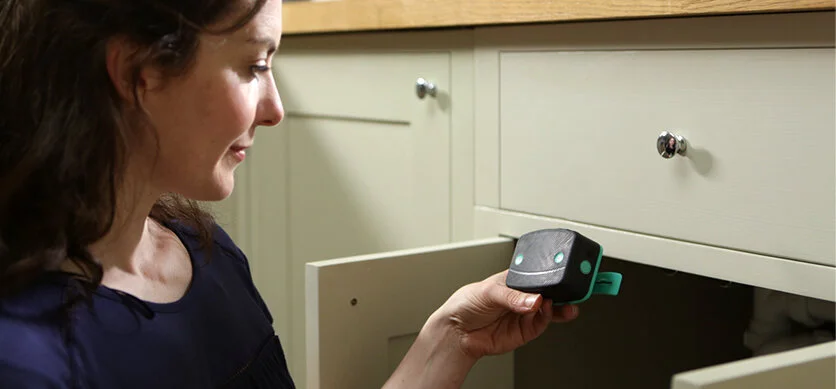
I joined HomeServe Labs in 2017, a start-up developing connected home products that solve real homeowner problems. One key product was LeakBot, a smart device that detects water leaks early to prevent damage. It installs without plumbing knowledge, simply clipping onto the pipe above the stop tap and connecting via Wi-Fi to a smartphone.
With water damage costing insurers hundreds of millions annually, LeakBot was distributed free to customers through insurer partnerships, reducing claims by enabling early detection and repair.
My first task was to design an MVP app to guide installation and clearly show device status. The app needed to be fast, intuitive, and communicate the product’s value by giving homeowners peace of mind.
User Research
Soon after joining the project, I spent time shadowing a HomeServe engineer visiting customers and installing early versions of LeakBot. This firsthand insight informed a set of user personas and clarified the core design challenges.
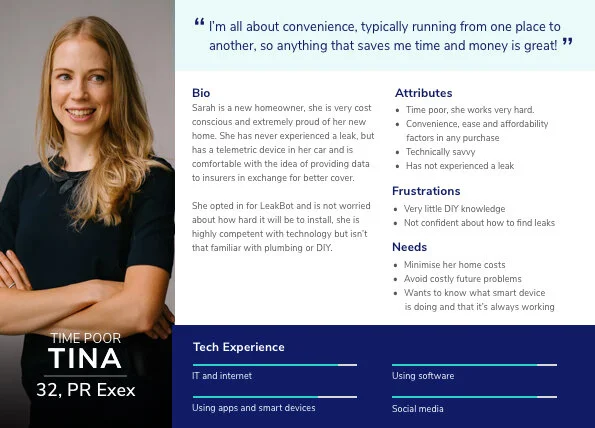
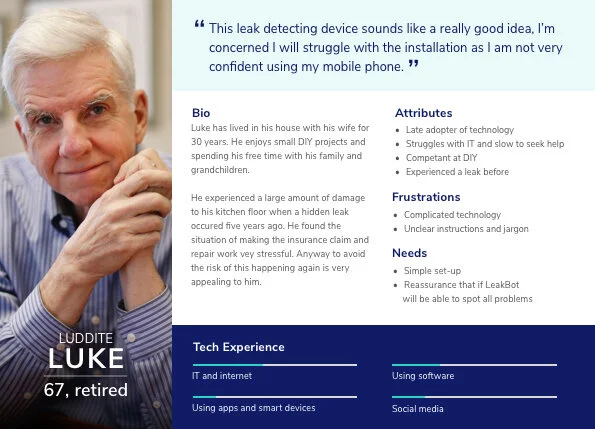
As the initial launch targeted UK homeowners, we created personas to test early ideas. Research highlighted that, due to demographic shifts in home ownership, a large proportion of users were likely to be over 50 and less confident with technology, these insights that directly shaped subsequent design decisions.
User flows and wireframes
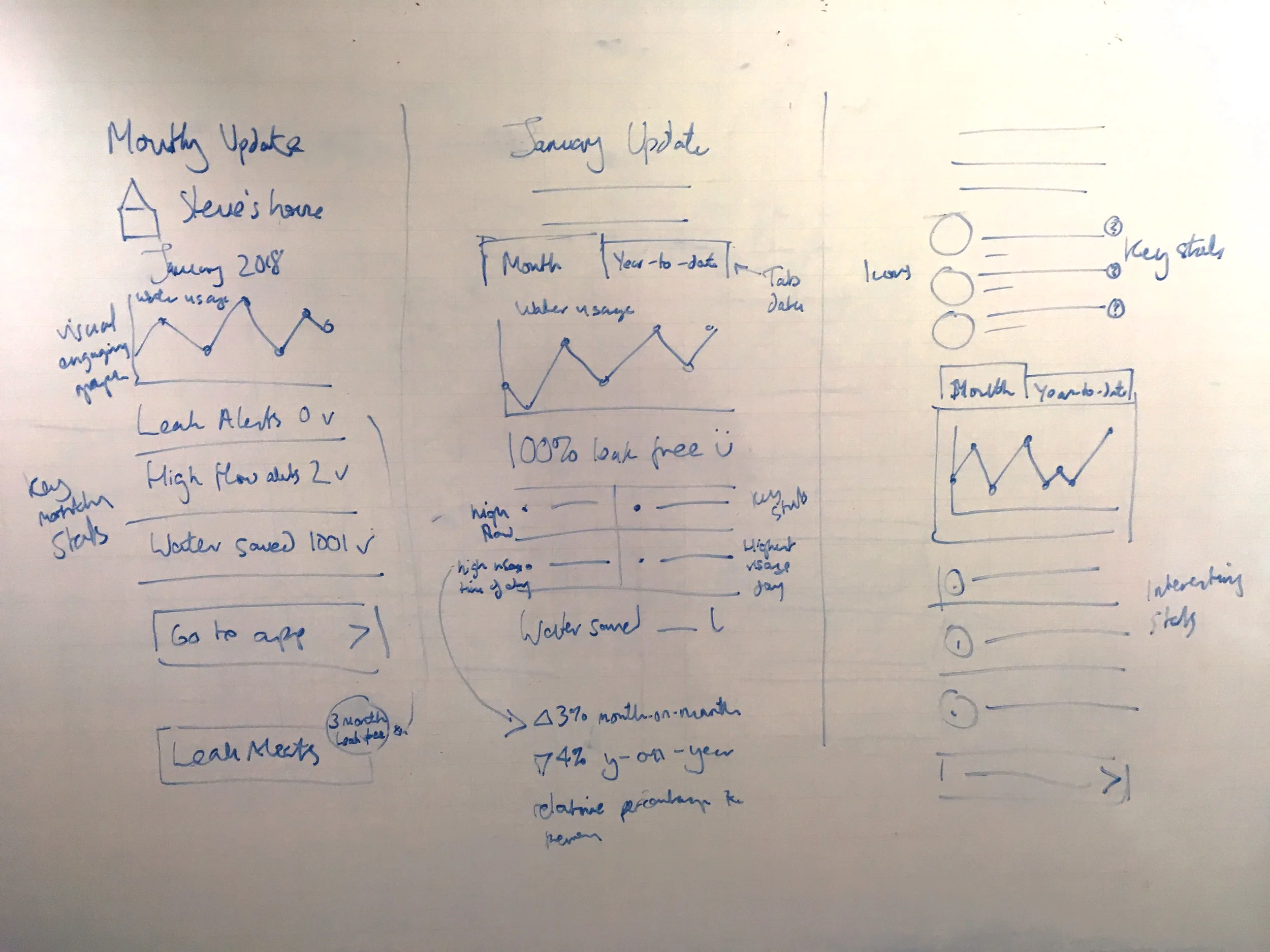
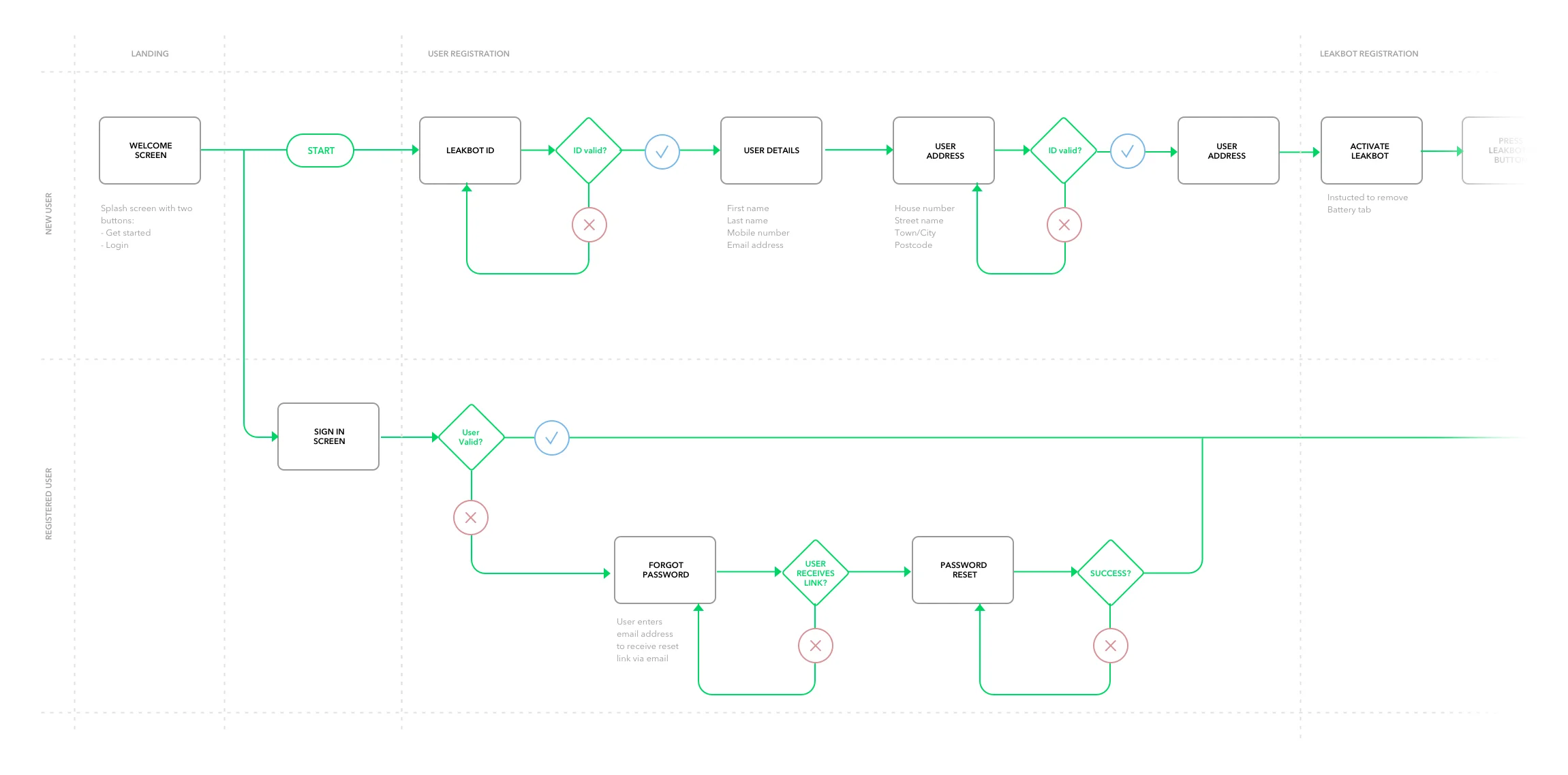
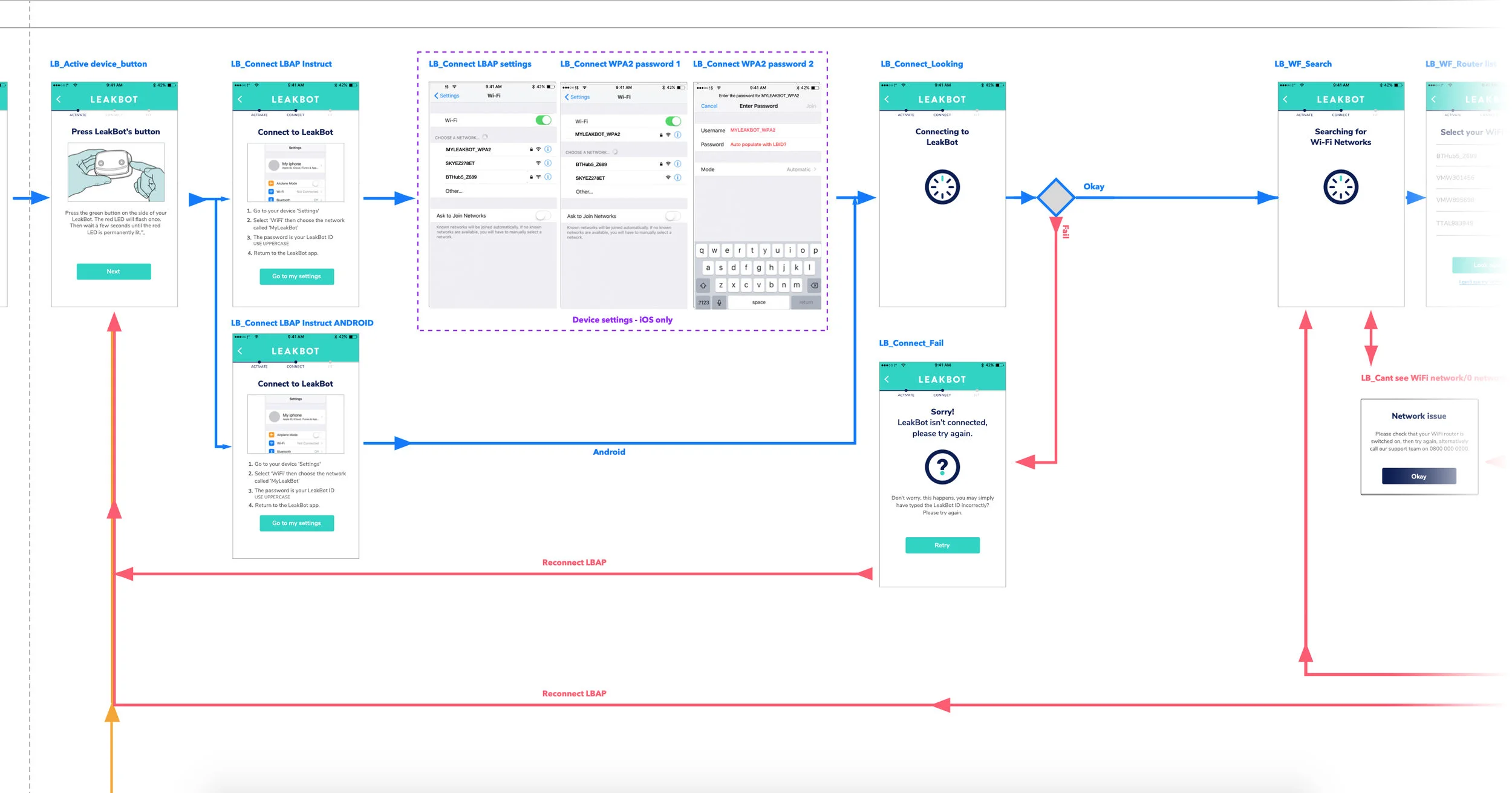
An initial set of screens was agreed upon to allow for key user flows to be designed. I then created low-fi wireframes to allow for prototyping and testing of key journeys.
Building an MVP
We rapidly prototyped and built an MVP with a simple user interface. Having a working app allowed us to begin trialling the new WiFi LeakBot and start testing the install of the device, gaining data and insight from users. We carried out tests in people’s homes and quickly identified key parts of the journey to simplify and improve.
Upgrading the UI design
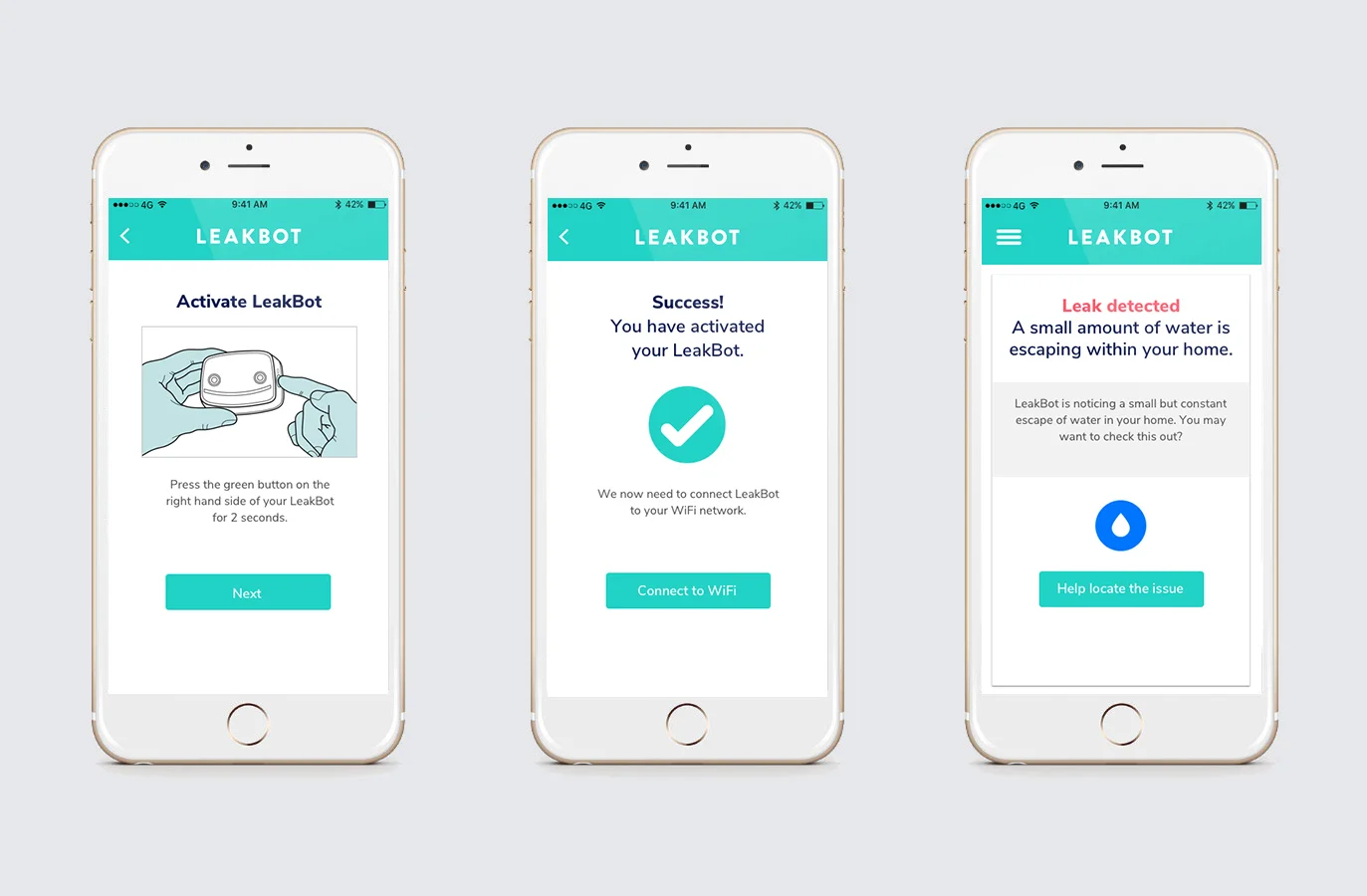
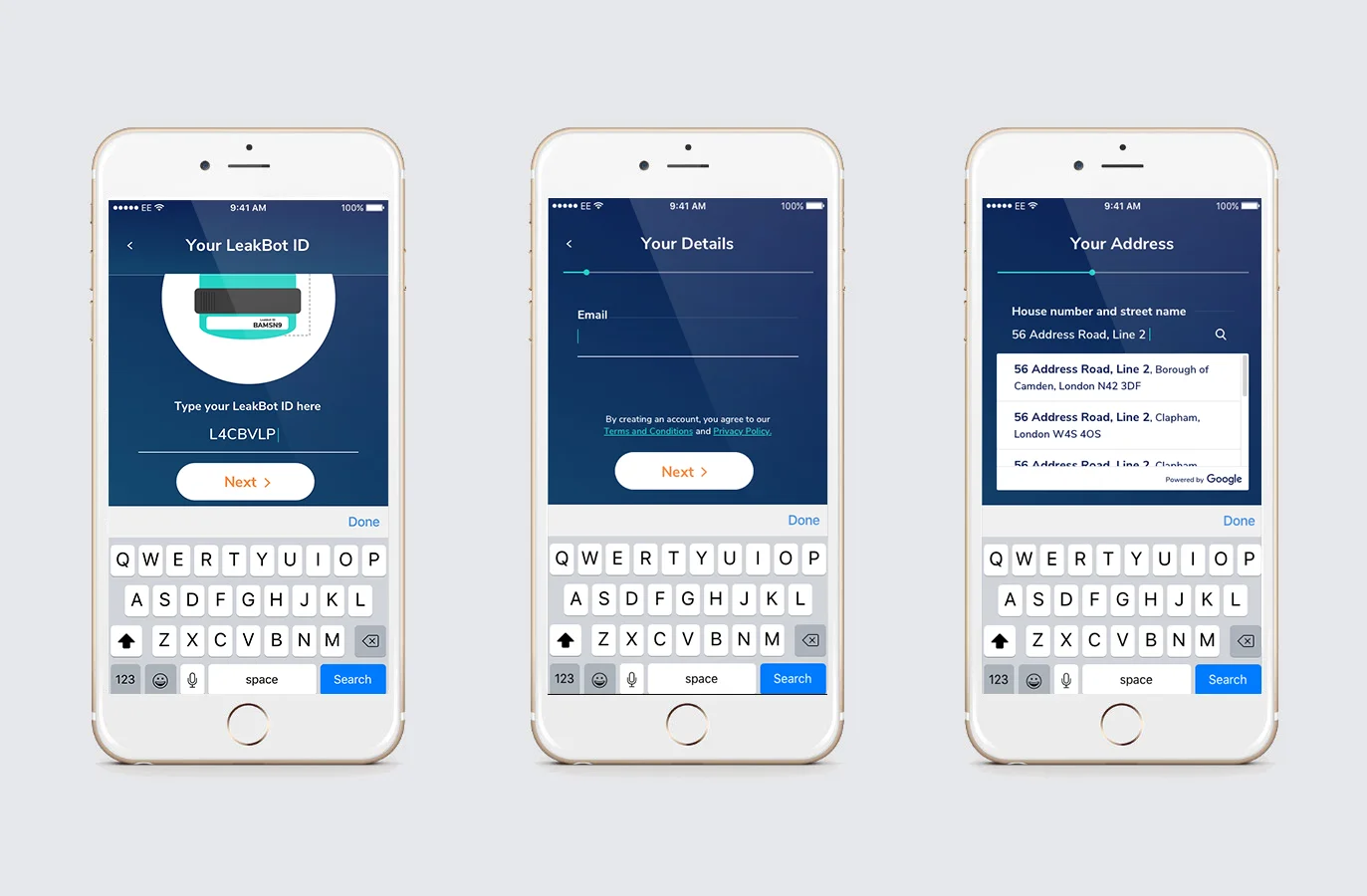
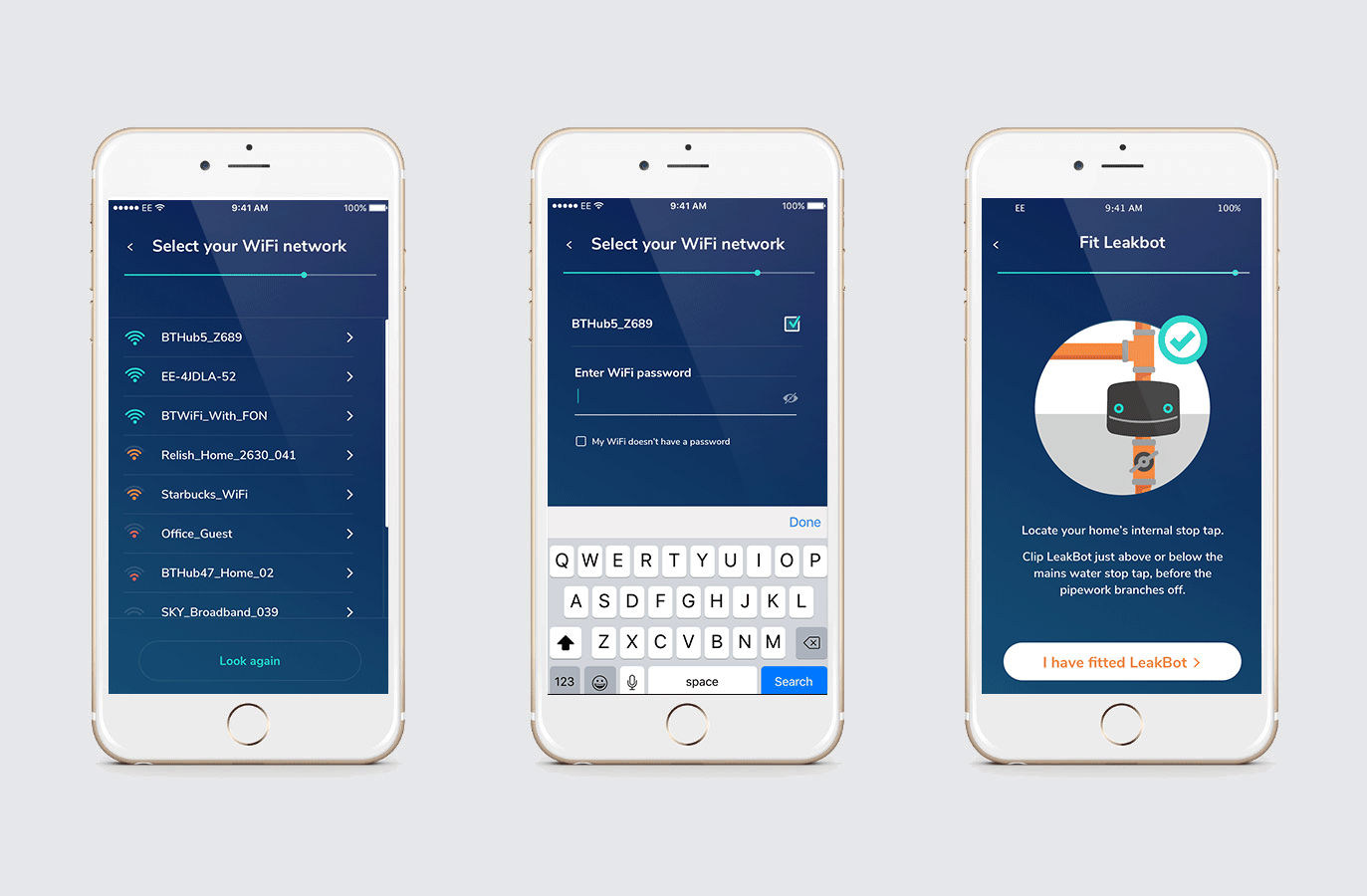
New brand guidelines were developed for LeakBot which were applied to the app. I re-skinned the design of individual screens in the install journey based on these guidelines. UI designs were created in groups of screens alongside infographic animations over a series of 3 sprints and handed over to an external offshore development team via Zeplin. I oversaw their development work to ensure designs were followed accurately.
Transitions and animations
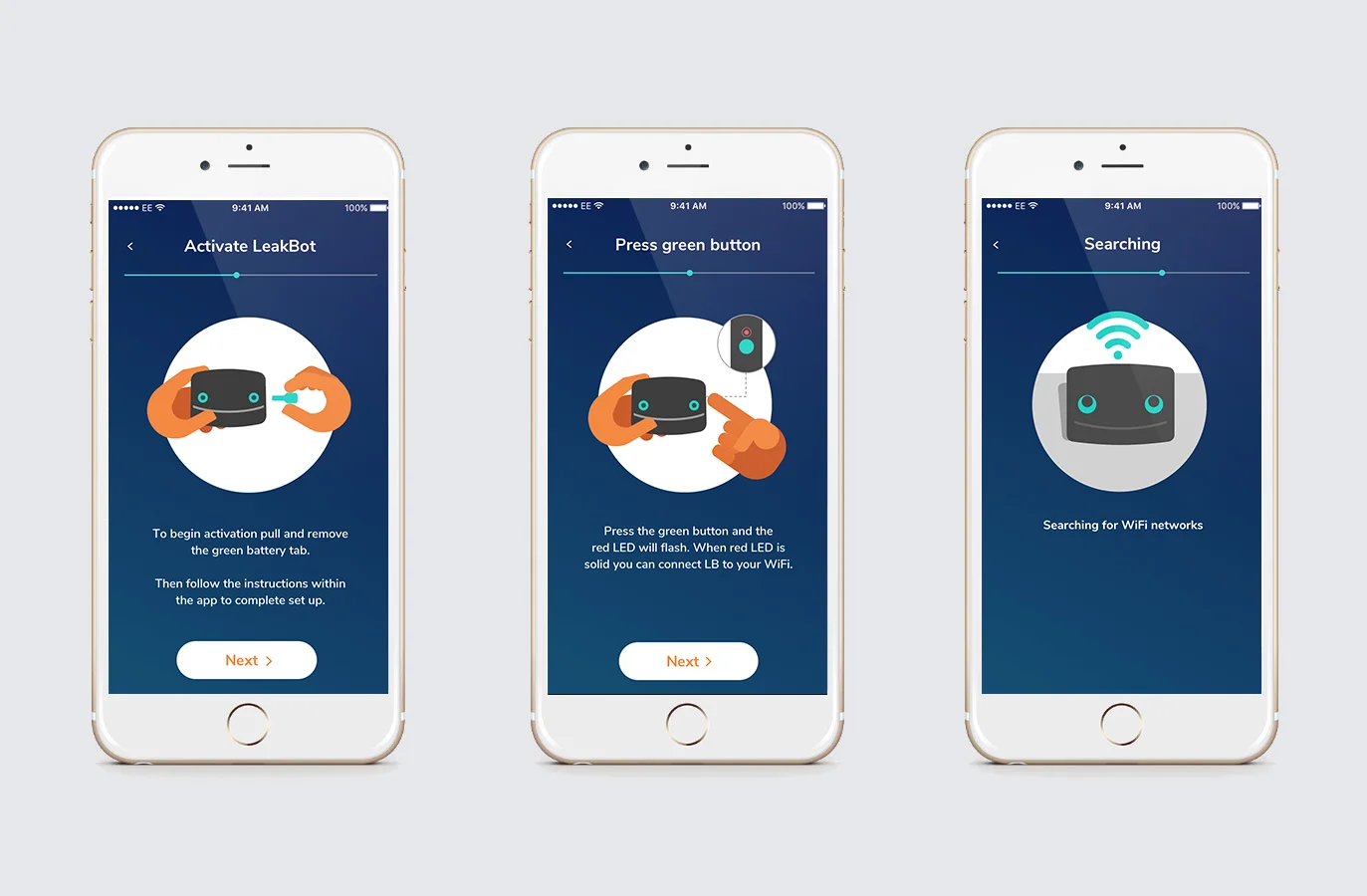
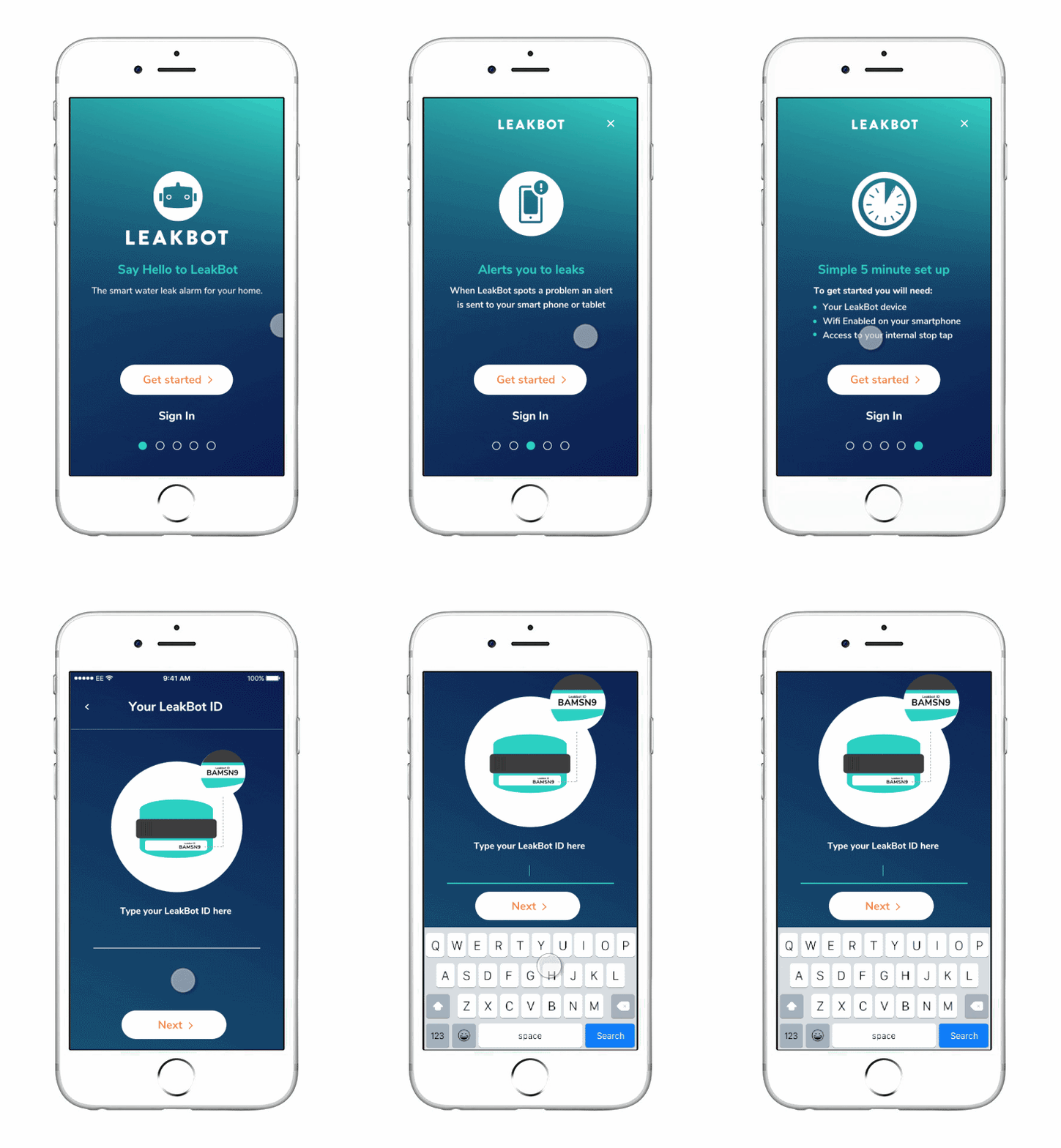
I worked with a freelance animator to create animations that appeared throughout the install journey.
Here is an example of this for the newly re-skinned on-boarding screens.
Charity partnership pitch
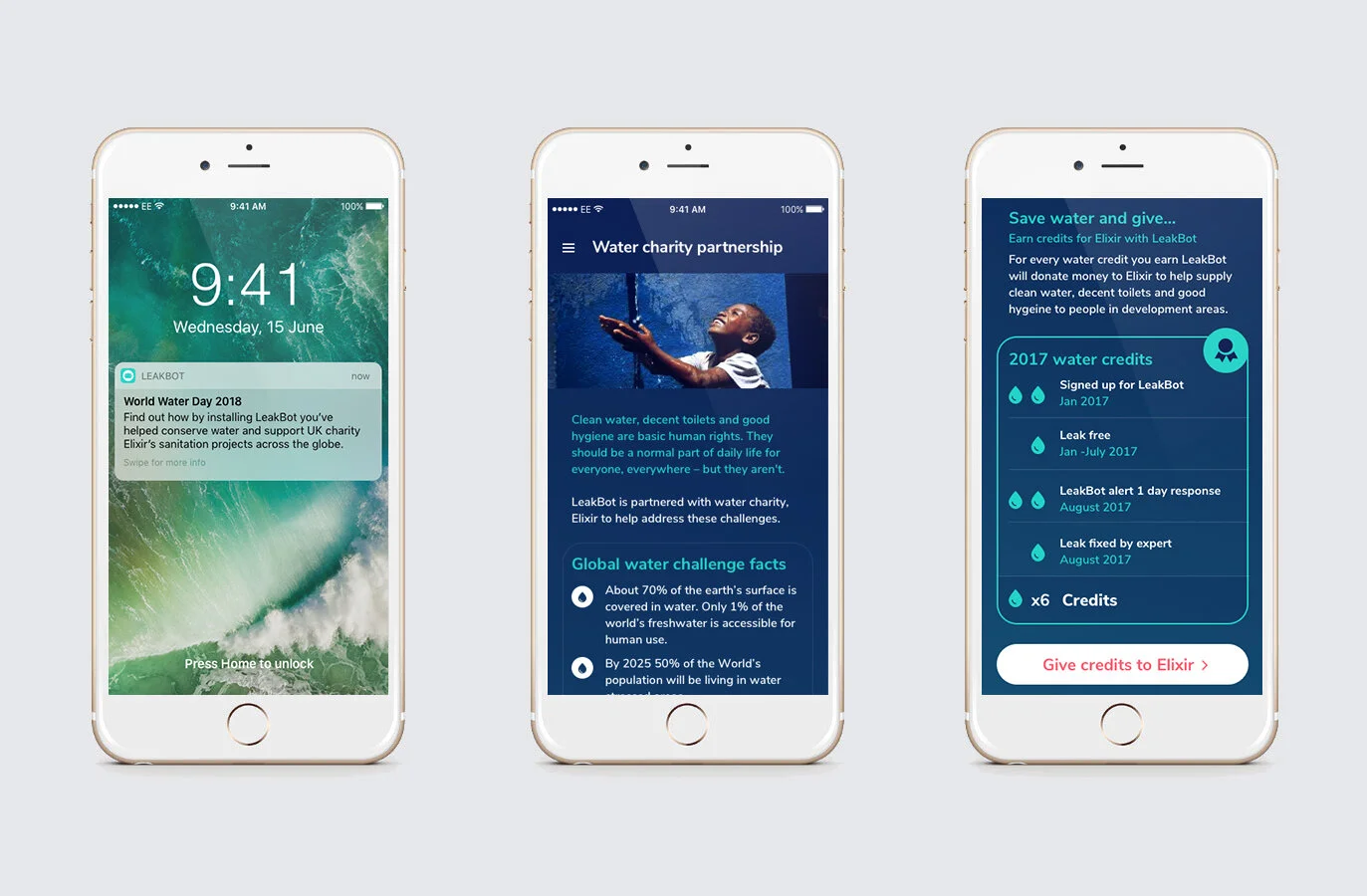
We felt that a charity partnership would give the product more authority and reinforce the sustainability credentials of LeakBot. Based on user research it also had the potential to encourage users to install the device. A number of major water charities were approached. I developed and subsequently pitched concepts to show how we could integrate information about a charity and importance of water preservation into the app. We also developed an idea for gamification within the app, encouraging a user to keep their homes leak free to earn donations to a chosen charity.
Further iterations and improvements
Over 12 months through a number of rounds of testing and iterations the install success rate was increased from approximately 50% to 87%.
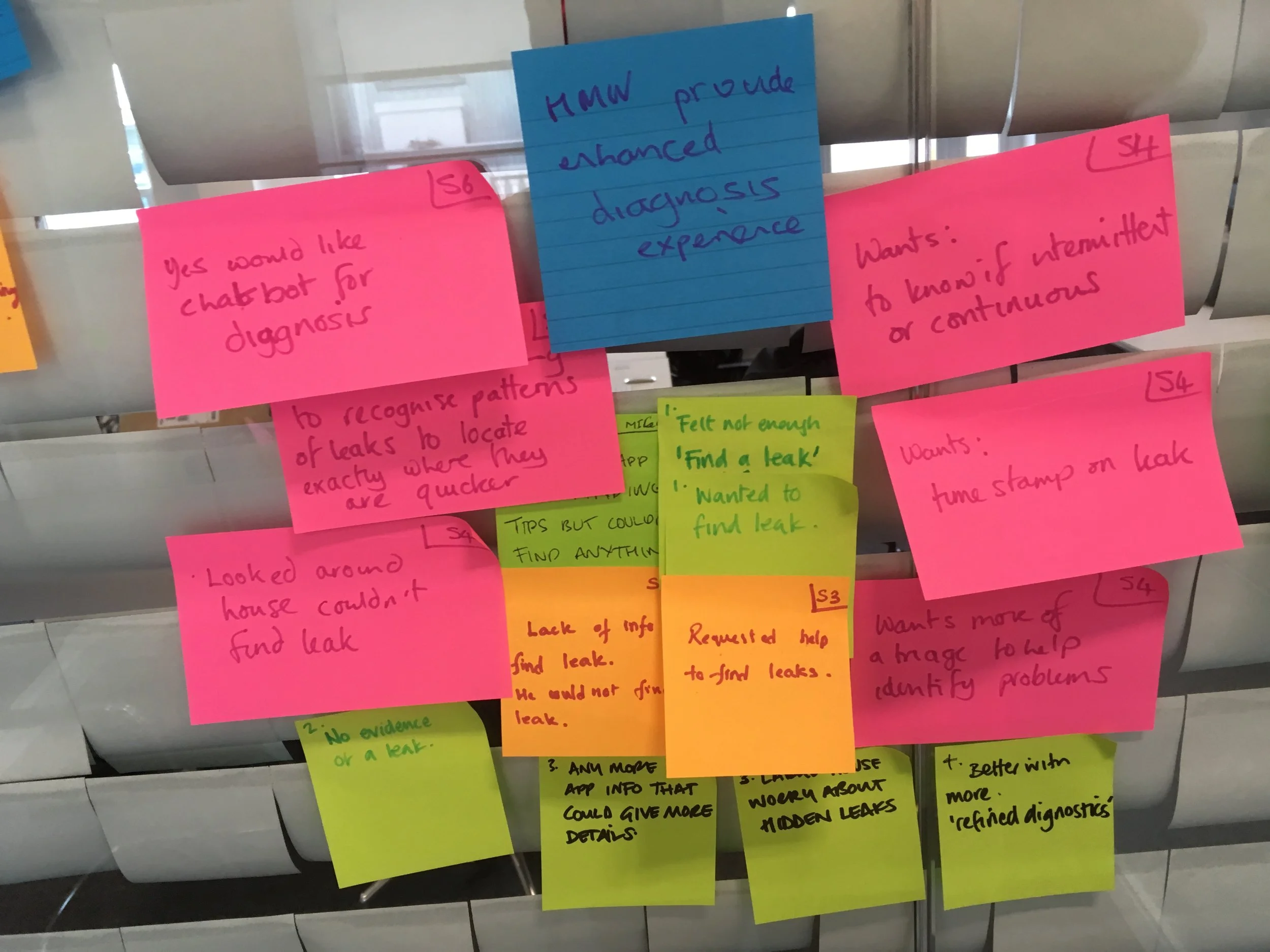
Having achieved the installation KPI required for the business model to work for insurance partners we were able to turn our attention to improve other features within the app. We conducted interviews with customers and completed affinity mapping to identify key areas that still caused problems and further ways to engage users.
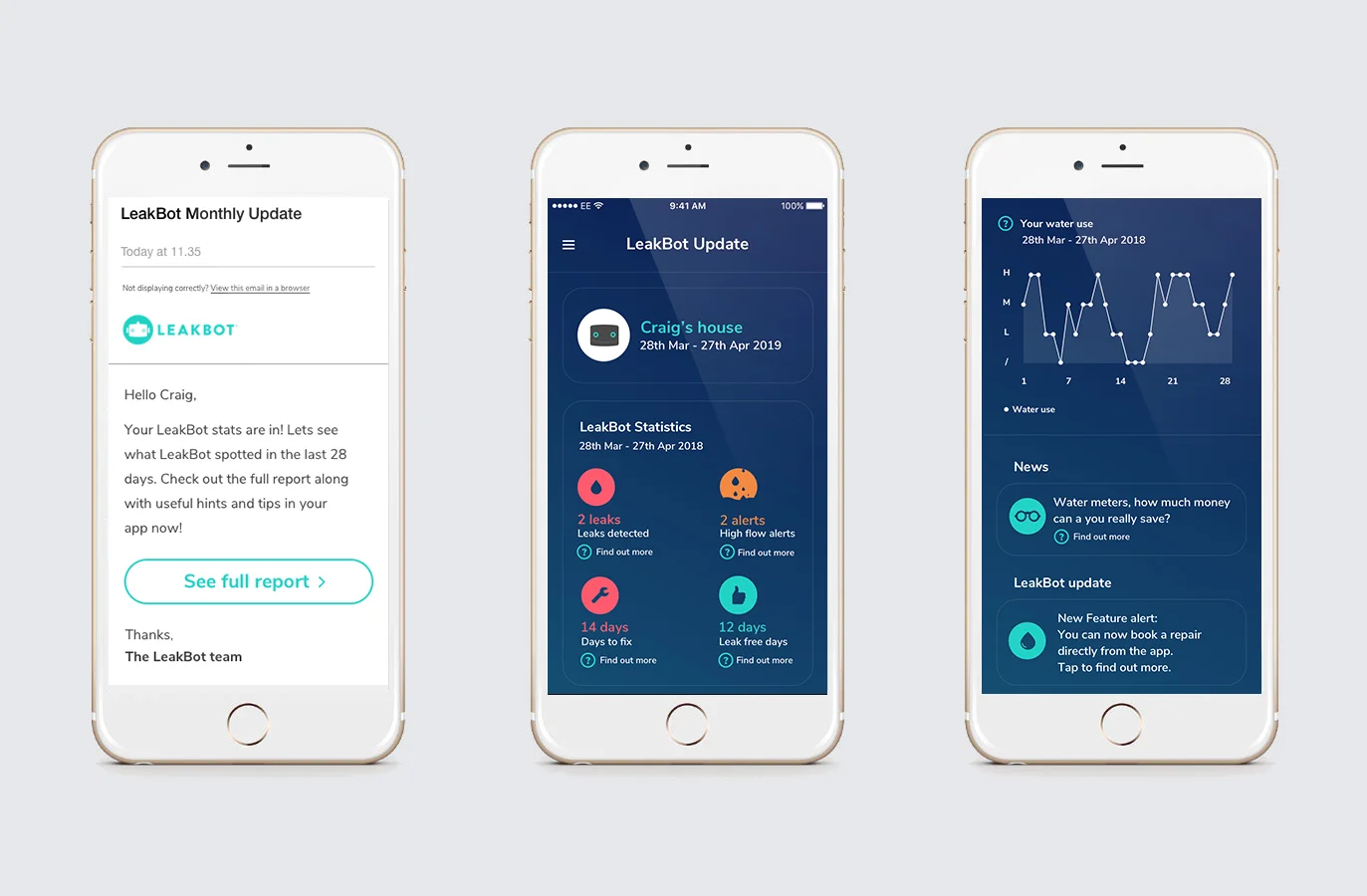
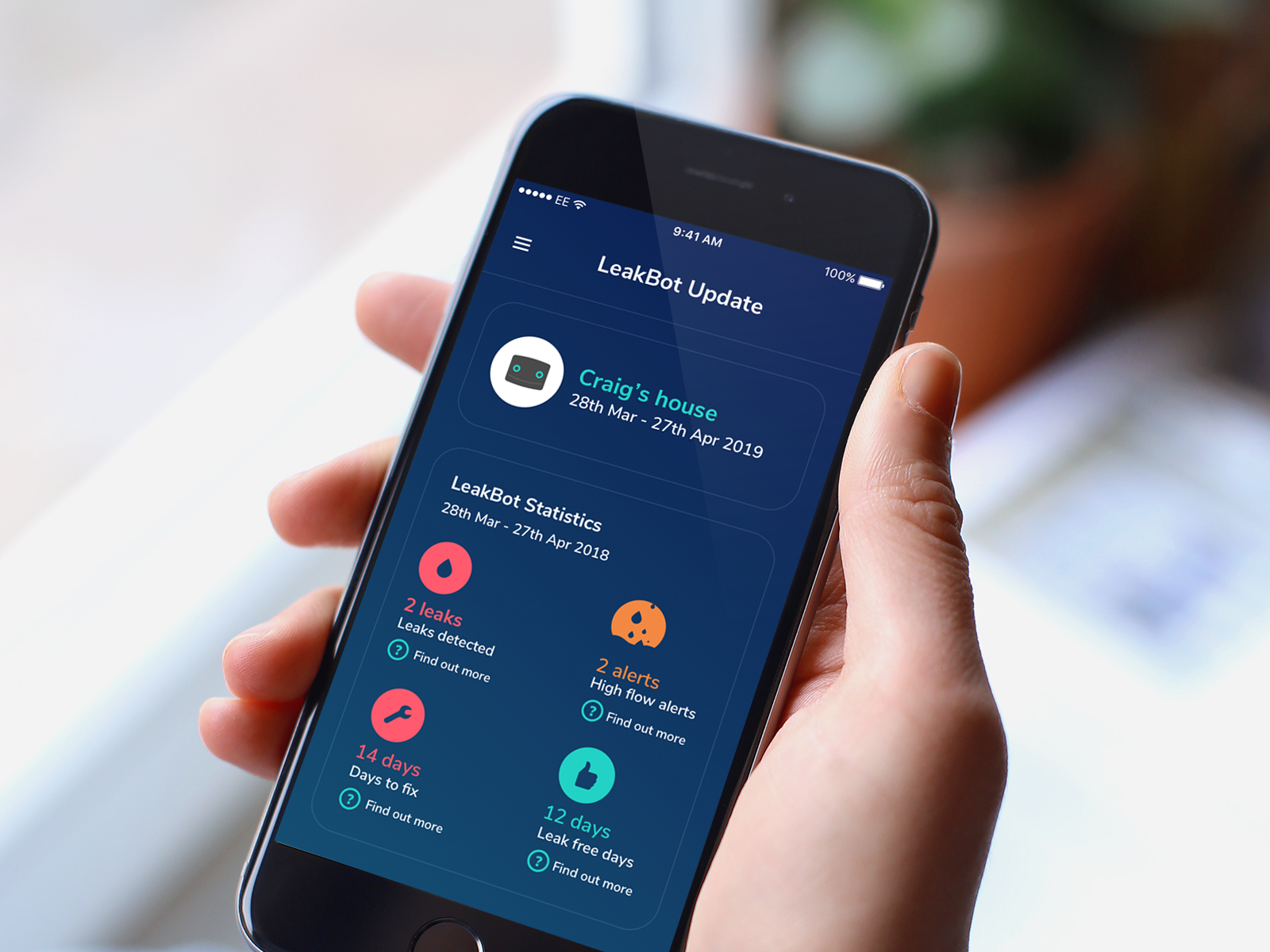
The product director decided the priority of projects and new features were rolled out including monthly updates and alert history.